
Astra WordPress Theme Review

The Astra WordPress theme is a fantastic choice for anyone looking to build a stunning website with ease. With its lightweight design, unparalleled customization options, and seamless integration with popular page builders, Astra empowers users to create unique and professional-looking sites without any coding skills. Whether you’re launching a blog, an online store, or a business website, Astra provides the perfect foundation to bring your vision to life.

Are you searching for a WordPress theme that combines speed, flexibility, and ease of use? Look no further than Astra, a popular choice among website creators for its impressive features and customization options. With its lightweight design and seamless integration with various page builders, Astra makes it simple to craft a stunning website tailored to your needs. But does it really deliver on its promises? Read on to discover how Astra can elevate your online presence and whether it’s the right fit for your next project.
Astra WordPress Theme Review: Features, Performance, and Usability Analyzed
Looking for a versatile and lightweight WordPress theme? Astra might be your answer. Astra offers a clean, fast, and highly customizable experience for any type of website. From personal blogs to professional portfolios, this theme is designed to meet a wide range of needs.
Astra’s standout feature is its speed. You can build a beautiful, functional site without compromising on performance. Whether you’re a beginner or a seasoned developer, Astra provides an intuitive interface and comprehensive options to suit your needs.
Customization is another strong point of Astra. With its seamless integration with popular page builders, you can easily create unique designs. The theme is also SEO-friendly, making it an excellent choice for improving your site’s visibility.
Overview of Astra Theme
Astra has become a popular choice for WordPress users due to its lightweight design and ease of customization. This versatile theme offers speed and reliability while providing extensive options for personalizing your site.
The Rise of Astra in WordPress Themes
Since its launch, Astra has gained significant traction among WordPress enthusiasts. Many users have been drawn to its speed and performance, essential for any modern website. You can see this popularity reflected in its impressive number of downloads and active installations.
Astra’s compatibility with major page builders like Elementor and Beaver Builder also contributed to its widespread adoption. You don’t need extensive technical knowledge to build professional-looking sites, making it appealing for both beginners and experienced developers.
What Makes Astra Stand Out
One of Astra’s most notable features is its lightweight architecture. Astra ensures your site remains fast by avoiding bloated code and offering only the necessary components. This focus on performance results in faster page load times, which can positively impact your search engine rankings.
Customization is another area where Astra excels. You have numerous pre-built templates and a customizer that allows changes in real-time. Furthermore, Astra’s flexibility extends to different types of websites, whether you run a blog, business site, or e-commerce store.
Installation and Setup
Astra is renowned for its simplicity and ease of use when it comes to installation and setup. You’ll find the process straightforward, with clear instructions and support options available.
Getting Started with Astra
Downloading Astra from the WordPress repository is your first step. Navigate to Appearance > Themes in your WordPress dashboard, then click on Add New. Search for “Astra,” click Install, and then Activate.
Once activated, you’ll see the Astra Welcome Screen, guiding you through initial setup steps. You may install recommended plugins to enhance functionality. Astra works seamlessly with popular page builders like Elementor and Beaver Builder, which you can download and activate as needed.
Astra Starter Sites
To expedite your site-building process, Astra offers Starter Sites. Access these by navigating to Appearance > Astra Options in your dashboard, then click Install Importer Plugin.
Once the plugin is active, you’ll have access to a library of pre-built website templates. These templates are customizable and cater to various niches. Choose a template, import it, and your site structure is instantly created, allowing you to focus on content rather than design intricacies.
The entire process is designed to be user-friendly, ensuring even beginners can set up a professional-looking website with minimal effort.
Customization Capabilities
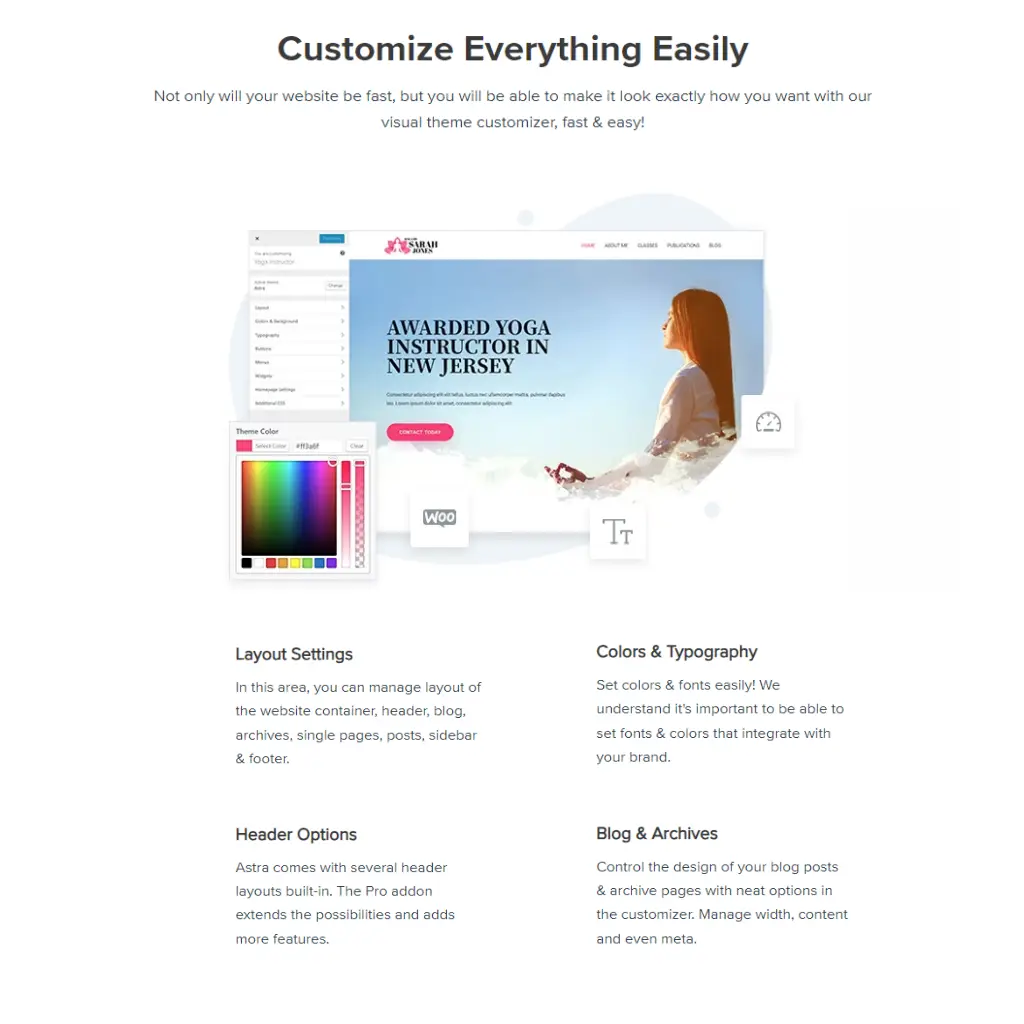
Astra offers extensive customization capabilities that allow you to tailor your WordPress site to your specific needs. With options to personalize headers, footers, typography, color schemes, widgets, and sidebars, you can create a unique and visually appealing site.
Personalizing Headers and Footers
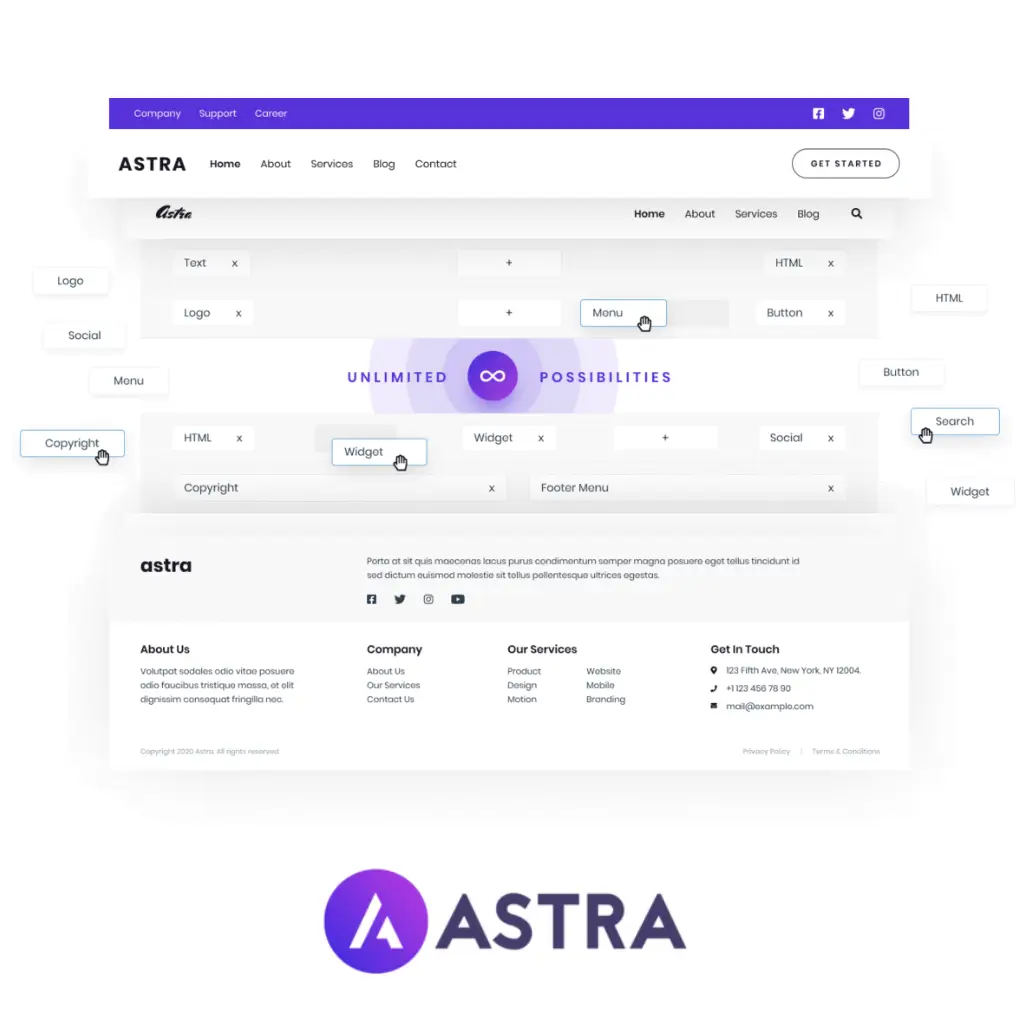
You can easily customize the headers and footers to make your site stand out. Astra provides a drag-and-drop header and footer builder which allows you to add elements like logos, menus, and social icons.
Multiple layout options are available, enabling you to choose between various configurations, such as centered, left-aligned, or split headers. For footers, you can include widgets, custom HTML, and even embed shortcodes. Sticky Header functionality keeps the header visible as visitors scroll, enhancing usability.
Typography and Color Schemes
Astra gives you precise control over the typography and color schemes. You can choose from hundreds of Google Fonts, adjust font sizes, and set line-height and spacing. Custom font options are also supported.
Colors can be customized globally, affecting everything from text and links to buttons and backgrounds. With the color palette feature, you can pre-define color schemes and switch between them with ease, ensuring consistency across your site.
Widget and Sidebar Options
The theme supports numerous widget and sidebar customization options. You can add, remove, or rearrange widgets in sidebars to fit your design. Astra allows you to create multiple sidebars and assign them to different pages or posts.
Flexible widget areas let you integrate additional functionality, such as recent posts, categories, or a custom call-to-action. The theme’s compatibility with popular plugins ensures you can expand your widget options without affecting site performance.
Page Builder Compatibility
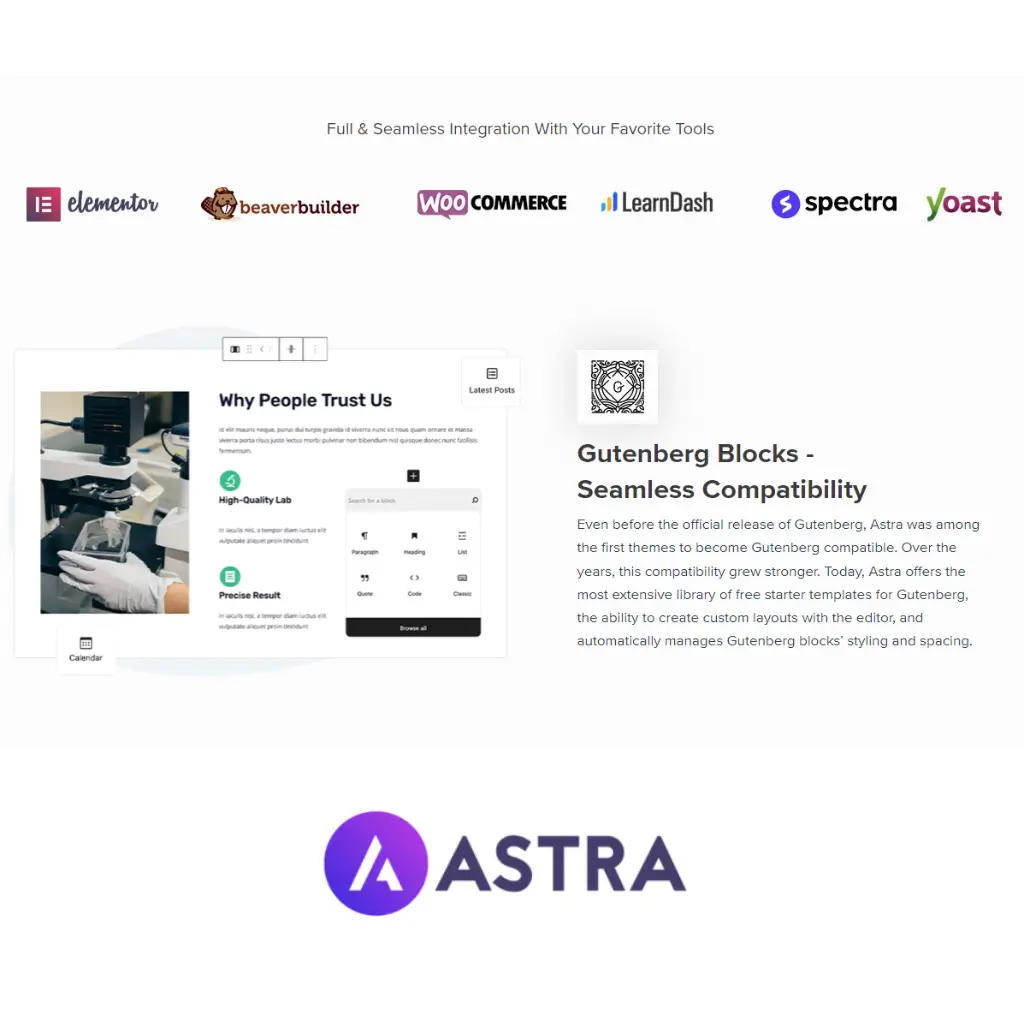
Astra offers strong support for multiple popular page builders, making it a versatile choice for creating custom layouts and designs. With seamless integration capabilities, you can use Elementor, Beaver Builder, and Gutenberg to enhance your WordPress site.
Integration with Elementor
Astra is known for its tight integration with Elementor, one of the most popular page builders. You can use pre-built templates and custom layouts effortlessly. Astra’s compatibility ensures that you can utilize Elementor’s drag-and-drop feature with minimal conflicts.
For example, you get access to exclusive Astra Starter Templates optimized for use with Elementor, saving you time. With these templates, it’s simple to get your site up and running quickly.
Gutenberg and Astra: A Seamless Match
Astra complements the Gutenberg block editor, offering a seamless user experience for those who prefer working with WordPress’s native editor. Astra adds several custom blocks that enhance the basic functionalities provided by Gutenberg, allowing you to easily add elements like buttons, forms, and grids.
With Astra, you can take full advantage of Gutenberg’s block-based approach to design sophisticated layouts that are also lightweight. This makes your website not only visually appealing but also highly efficient in terms of performance.
Astra’s compatibility with multiple page builders enables you to create stunning websites with a flexible, user-friendly approach. Its optimized templates and add-ons make the design process straightforward and efficient.
Performance and Speed
Astra is renowned for its exceptional performance and speed. The theme’s lightweight architecture ensures that your website loads quickly and efficiently.
Astra’s Impact on Site Speed
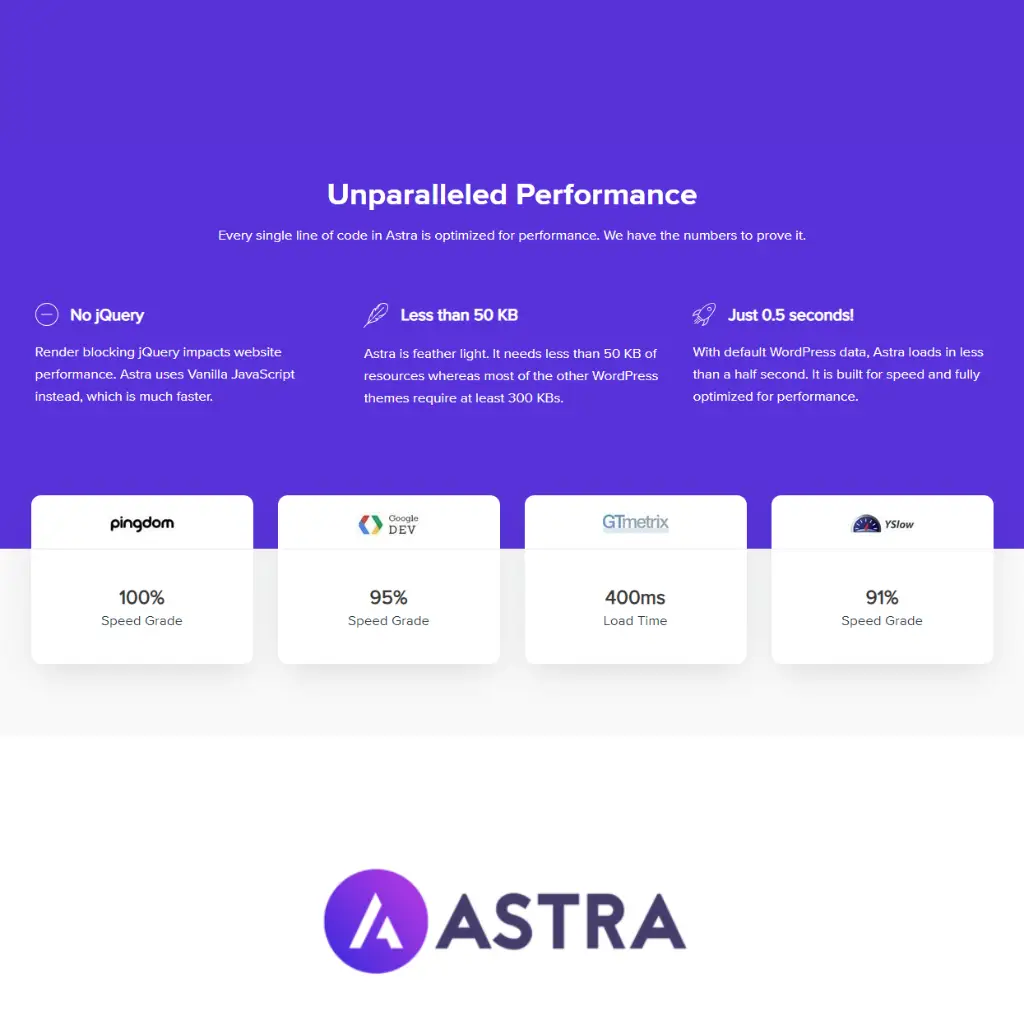
Astra is designed to be a lightweight theme. It uses minimal resources, which significantly improves page load times. You will notice faster responses because Astra reduces the amount of CSS and JavaScript used.
Another key benefit is that Astra does not rely heavily on jQuery, a common culprit for slowing down websites. This focus on speed is supported by various tests, where Astra scores favorably compared to other themes.
Key Features:
- Less than 50KB size: Keeps load times short.
- Vanilla JavaScript: Avoids performance lags associated with jQuery.
Optimizing Astra for Peak Performance
While Astra is inherently fast, you can further optimize it to achieve peak performance. Start by leveraging built-in options like disabling elements you do not need. For instance, turning off sidebar widgets or footer credits can make your site even lighter.
You should also consider using caching plugins compatible with Astra. Plugins like WP Super Cache or W3 Total Cache work well with the theme and can significantly enhance load times. Combining Astra with a Content Delivery Network (CDN) can optimize your site’s global performance.
Optimization Tips:
- Deactivate unnecessary widgets: Reduces load.
- Use caching plugins: Enhances speed.
- Integrate a CDN: Improves global load times.
WooCommerce Integration
Astra offers a seamless integration with WooCommerce, making it easy to set up and manage an eCommerce store. Learn how Astra’s features enhance your online store and how you can customize WooCommerce elements with this versatile theme.
Creating an Online Store with Astra and WooCommerce
Setting up an online store with Astra and WooCommerce is straightforward. Astra provides built-in support for WooCommerce, which ensures that your shop page, product pages, and checkout process are beautifully designed and fully functional. The theme includes pre-built starter templates specifically designed for WooCommerce, which allows you to get started quickly.
You can easily import these templates through the Astra theme’s settings, giving you a professional-looking store without extensive customization. Additionally, Astra is optimized for speed, ensuring that your eCommerce site loads quickly, which is crucial for retaining customers and boosting search engine rankings.
Astra Pro, the premium version, offers advanced features like grid layouts, infinite scroll, and flexible gallery options to enhance your product displays. These enhancements contribute to a superior user experience and can help increase conversion rates.
Customizing WooCommerce Elements
Astra makes customizing WooCommerce elements straightforward. Through the WordPress Customizer, you can adjust the look and feel of your shop with real-time previews. Change colors, fonts, and layouts to match your brand’s identity effortlessly.
You also have control over product page designs, allowing you to modify product descriptions, image placements, and even add custom widgets. This flexibility ensures that each product is showcased in the best possible way.
Astra Pro expands these customization options by adding features like a dedicated Cart page layout, quick view options for products, and custom checkout designs. These tools help create a seamless and engaging shopping experience for your customers.
By integrating WooCommerce and Astra, you can create a fully functional and visually appealing eCommerce store tailored to your specific needs.
Responsive Design and Mobile Optimization
Astra’s responsive design ensures your website looks impressive on any device. It adapts seamlessly across various screen sizes, including mobile phones and tablets.
Ensuring Mobile-Friendly Layouts
Astra provides numerous design features to create mobile-friendly layouts. You can use the built-in customizer to adjust font sizes, line heights, and spacing on mobile devices. This guarantees readable and visually appealing text, regardless of screen size.
Moreover, Astra supports touch-friendly menus and buttons, ensuring easy navigation on smaller screens. Its default breakpoints work well for most devices, but advanced users can customize these breakpoints to meet specific needs.
Adapting Astra to Various Screen Sizes
Astra’s adaptability extends to various screen sizes, including desktops, tablets, and mobile phones. The theme utilizes a flexible grid system that reflows content smoothly as the viewport changes.
You can define different header and footer designs for different devices, optimizing the user experience accordingly. Additionally, Astra supports responsive images, allowing you to serve appropriately sized images based on the user’s device, which enhances performance and loading times.
Pricing and Value Proposition
Astra offers both free and pro versions, each with distinct features. Pricing varies based on the pro plan you select, and your choice will impact the value and flexibility you get.
Comparing Astra’s Free and Pro Versions
The free version of Astra provides a solid foundation for anyone starting with WordPress. It includes essential features such as basic theme options, responsive design, and seamless integration with major plugins like WooCommerce and Elementor. The pro version, on the other hand, unlocks advanced capabilities.
Astra Pro comes with additional customization options, pre-built website templates, and premium support. Pricing for Astra Pro starts at $59 per year for the Essential Bundle, which includes add-ons like WP Portfolio and extra Starter Templates. Higher-tier bundles, like the Growth Bundle at $249 per year, offer even more tools and plugins.
Determining the Return on Investment
Investing in Astra Pro can significantly enhance your site’s functionality and customization. For users running online stores, portfolios, or business websites, the advanced features and templates in the Pro version can save time and provide a more polished appearance. Price-wise, the flexibility and support offered make it a worthwhile investment.
Businesses will appreciate the Growth Bundle, which includes plugins like Schema Pro and Convert Pro, enhancing SEO and marketing capabilities. For personal blogs or small sites, the free version might suffice, offering a cost-effective way to create a professional-looking site.
Evaluating your specific needs and goals will determine if the Pro version’s enhanced features justify the ongoing costs.
Extensibility and Plugins
The Astra WordPress theme offers extensive customization options and seamless integration with various plugins to enhance its functionality. This section explores how you can enhance Astra using WordPress plugins and its compatibility with various tools.
Enhancing Astra with WordPress Plugins
Astra provides a robust framework that works well with a broad range of WordPress plugins. Ultimate Addons for Elementor is a popular choice that elevates Astra’s capabilities. These addons offer custom widgets, additional templates, and unique design elements that seamlessly integrate with Astra.
Astra’s flexibility with SEO plugins, such as RankMath, makes it easy to enhance your site’s search engine rankings.
Hooks and filters within Astra allow you to insert custom code, further extending the theme’s functionality. This level of customization is particularly beneficial for developers who want to create unique user experiences.
Plugin Compatibility and Integration
Astra is designed to work seamlessly with many WordPress plugins, ensuring that you can extend your site’s functionality without encountering major compatibility issues. It is well-tested with WooCommerce, enabling you to build a fully-functional online store. The integration with WooCommerce is smooth, providing compatibility with various WooCommerce extensions to enhance e-commerce capabilities.
Membership sites and learning management systems are also supported through integrations with plugins like LearnDash and LifterLMS. These integrations allow you to create courses, manage subscriptions, and offer tiered membership levels without any hitches.
Page builders like Elementor and Spectra work hand-in-hand with Astra, ensuring that your design process is intuitive and streamlined. The theme’s compatibility with various form plugins, such as Gravity Forms and WPForms, allows you to create complex forms with ease.
In summary, Astra’s integration capabilities with a wide variety of plugins make it a flexible and powerful choice for any WordPress site.
Support and Resources
Astra offers comprehensive support and valuable resources to ensure you can make the most out of your WordPress theme. From detailed guides and community forums to premium support options, Astra has you covered.
Accessing Astra’s Support Channels
Astra provides multiple support channels to assist users. For immediate issues, you can access the live chat feature on Astra’s website, though this is primarily available to premium users. If you prefer written communication, Astra offers email support. Response times are quick, often within a day.
For those needing more detailed help, support tickets are an excellent option. Premium users receive priority assistance, ensuring faster and more personalized responses.
Leveraging Astra’s Knowledge Base and Community
The Astra Knowledge Base is extensive. It includes tutorials, guides, and articles that cover a wide range of topics, from initial setup to advanced customization. The material is regularly updated to reflect the latest changes.
Astra also boasts a vibrant community forum. Users can post questions, share tips, and solve issues collectively. This forum is moderated by both Astra team members and experienced users, ensuring reliable advice and solutions are provided promptly.
Case Studies and Real-world Examples
Many businesses, blogs, and ecommerce stores have found success using the Astra WordPress Theme. The following case studies showcase specific examples and diverse applications.
Success Stories of Astra in Action
Vanguard Ventures: A marketing consulting firm needed a professional and flexible website. Using Astra, they quickly built a site that met their needs for a robust online presence, aiding in client acquisition and retention.
Daily Muse Blog: Starting from scratch, the Daily Muse Blog leveraged Astra for its clean design and customization options. The theme’s user-friendly interface allowed the blog to launch in weeks, seeing a 20% increase in readership within the first month.
Gourmet Delights: An ecommerce store, Gourmet Delights, utilized Astra for its sleek layout and WooCommerce compatibility. Astra helped the store achieve a 35% increase in online sales by providing fast loading times and an improved shopping experience.
Diverse Applications of the Astra Theme
Creative Portfolios: Artists and designers use Astra to showcase their work with high-quality image galleries and customizable layouts. It provides a visually appealing way to highlight portfolios.
Educational Websites: Schools and online educators apply Astra for its ease of use and integration with LMS plugins like LearnDash. This setup offers a seamless educational experience for students.
Local Service Providers: Local businesses, like plumbers or electricians, use Astra to provide essential information clearly and concisely. With built-in SEO features, these websites rank better locally, bringing more customers to their services.
Astra’s adaptability ensures it fits a wide range of use cases, from corporate sites to personal blogs to online stores, making it a versatile choice for many web projects.
Astra for Developers and Designers
Astra offers robust features tailored for both developers and designers. You will find tools for creating custom layouts and hooks for advanced functionality, as well as extensive customization options that cater to design specifics.
Developer-Friendly Features
Astra provides ample support for developers. It includes custom layouts that can be hooked into different parts of your site, facilitating more control and flexibility.
You can utilize hooks to inject code snippets without touching the core files. This can streamline the development process.
Additionally, Astra is well-documented and offers dedicated support for developers. The theme follows best coding practices, making it easier to maintain and scale.
Key Features:
- Custom Layouts: Tailor sections of your site with minimal effort.
- Hooks: Inject code at predefined points.
- Documentation: Extensive resources for troubleshooting and setup.
- Support: Access to a reliable support system.
These features ensure that you can implement complex functionalities smoothly without compromising on performance or stability.
Customization for Designers
For designers, Astra offers numerous options to ensure aesthetic flexibility. The theme is highly customizable, allowing you to modify layout settings, colors, typography, and more through a user-friendly interface.
Visual Customization: You can change global styles and use pre-designed templates to achieve a professional look quickly. Astra’s native integration with popular page builders like Elementor and Beaver Builder further enhances your creative options.
Typography: Extensive font options give you control over the textual aspects of your site, ensuring it matches your brand style.
Prebuilt Templates: Access a library of templates to kickstart your project.
These features help you create visually appealing websites with ease and efficiency.

Astra WordPress Theme | Pros & Cons
Astra WordPress theme combines speed, flexibility, and user-friendly customization, making it an exceptional choice for anyone looking to create a stunning and professional website effortlessly.
Pros
Cons
Astra Review | Our Take
Astra WordPress theme has quickly become a favorite among website creators, and it’s easy to see why. With its lightweight design, Astra ensures that your site loads quickly, providing an optimal user experience that can boost your SEO rankings. Whether you’re building a blog, an e-commerce site, or a portfolio, Astra’s versatility allows you to create a professional-looking website that stands out without compromising on speed. The theme’s performance is a significant advantage in today’s fast-paced digital world, making it a top choice for those who prioritize efficiency.
One of the standout features of Astra is its incredible customization capabilities. Users can easily modify layouts, colors, fonts, and more without any coding knowledge, thanks to its intuitive settings panel. The theme seamlessly integrates with popular page builders like Elementor and Beaver Builder, allowing for drag-and-drop functionality that simplifies the design process. This level of flexibility means you can create a unique website that truly reflects your brand, making it accessible for both beginners and experienced developers alike.
In addition to its customization options, Astra is backed by a strong community and excellent support. The extensive documentation and tutorials available make it easy to find answers to any questions you may have during the setup process. Furthermore, the responsive support team is always ready to assist, ensuring that users feel confident and supported throughout their website-building journey. This commitment to customer satisfaction adds an extra layer of reassurance for those venturing into the world of web design.
Overall, Astra WordPress theme is a powerful and user-friendly solution that caters to a wide range of website needs. Its combination of speed, flexibility, and robust support makes it an ideal choice for anyone looking to create a stunning online presence. Whether you’re a novice or a seasoned pro, Astra empowers you to bring your vision to life with ease and confidence, making it a must-have tool in your web development arsenal.
Astra Review | FAQs
What features does the Astra WordPress theme offer for bloggers?
Astra provides customizable blog layouts, advanced typography options, and pre-built templates. You can also add a featured posts section, customize the post metadata, and integrate social sharing buttons.
How does Astra compare to OceanWP in terms of performance and customization?
Astra is generally considered faster and has a smaller footprint. While both themes offer extensive customization options, Astra’s user interface is often praised for its simplicity and ease of use.
What are the pros and cons of using the Astra theme for a WordPress website?
Pros include fast loading times, extensive customization options, and compatibility with most page builders. The free version may lack certain advanced features found in the premium version.
Can Astra WordPress theme be easily integrated with page builders like Divi?
Yes, Astra is designed to work seamlessly with popular page builders like Divi, Elementor, and Beaver Builder. This makes it easy to create complex layouts without coding.
What are user experiences with the Astra WordPress theme as shared on platforms like Reddit?
Users on Reddit often highlight Astra’s speed, ease of use, and excellent support. Some users mention minor issues with the free version’s limitations but generally recommend it for both beginners and experienced developers.
How does Astra stand out from other WordPress themes in terms of speed and accessibility?
Astra is optimized for performance with minimal bloat, clean code, and compatibility with WooCommerce for faster loading times. Its commitment to web accessibility standards ensures that your site is usable by a broader audience.
Related Articles & Blog Posts

Email Marketing & Funnels for Beginners: Learn how to build an email list, nurture trust and create sustainable online income
Latest Blog Posts
Email Marketing & Funnels for Beginners: Learn how to build an email list, nurture trust and create sustainable online income

You probably think you feel stuck because you don’t know enough. I used to believe the same thing. When I first started

You’ve probably heard that building online income requires multiple income streams. Maybe you’ve seen people talking about affiliate marketing, blogging, YouTube,
