
Divi Review

Divi is the WordPress theme that’s transforming website design with its user-friendly interface, powerful customization options, and unparalleled flexibility. Whether you’re a seasoned developer or a complete beginner, Divi empowers you to create stunning, responsive websites with ease. Dive in as we explore how Divi can elevate your online presence to new heights!

Overview of Divi and Elegant Themes
Divi is a popular WordPress theme and page builder created by Elegant Themes. It allows you to design websites visually, with a user-friendly drag-and-drop interface. This makes it suitable for both beginners and professionals.
Elegant Themes is a leading company in the WordPress theme development industry. Founded in 2008, they offer a range of products, with Divi being their flagship theme. They provide various other plugins and themes to enhance your WordPress site.
Divi’s visual builder is one of its standout features, enabling you to see changes in real-time. You can add, delete, and move elements on your page, making website design more intuitive.
Another key feature is the library of pre-made layouts. This library offers templates for different types of pages, like homepages, portfolios, blogs, and more, which you can customize to fit your needs.
Elegant Themes offers 24/7 customer support and extensive documentation. This support ensures you have help available whenever you need it, making problem-solving quicker and easier.
Divi also includes responsive editing. This means you can work on and optimize your site for different devices like desktops, tablets, and mobile phones within the same builder interface.
Moreover, Elegant Themes regularly updates Divi to include new features, improvements, and to fix bugs. This ensures your website remains modern and secure.
With Divi, you get access to diverse design options, such as custom fonts, colors, and animations. These tools help you make your website unique and visually appealing.
Design Capabilities of Divi
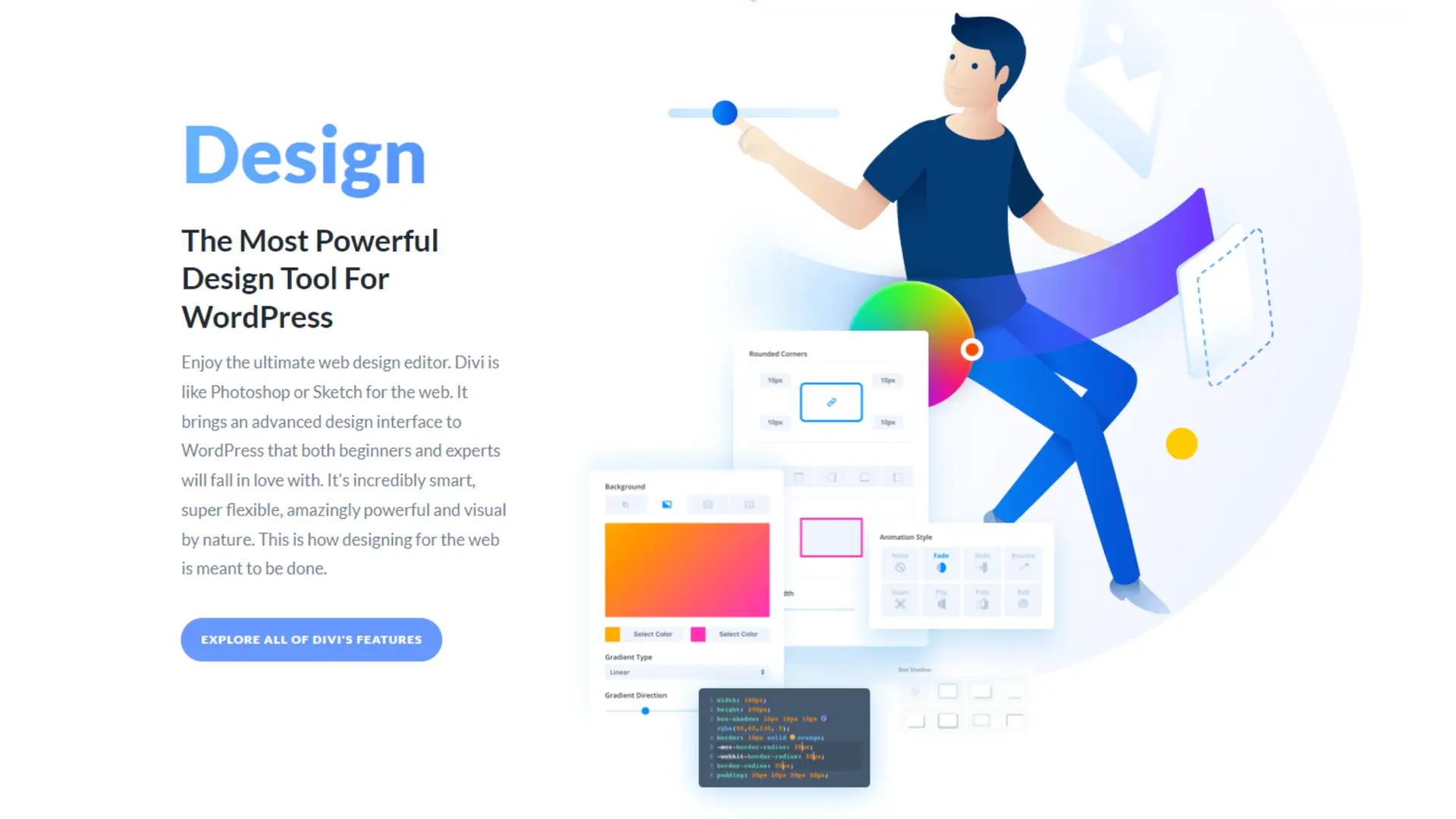
Divi offers extensive customization options, an array of pre-made layouts and templates, responsive editing features, and various animation and visual effects to enhance your website design.
Customization Options
Divi provides a versatile Visual Builder, which allows you to create custom designs easily. You can drag and drop elements, adjust settings, and see changes in real-time. There’s support for custom CSS, giving you the flexibility to tweak designs beyond the standard settings.
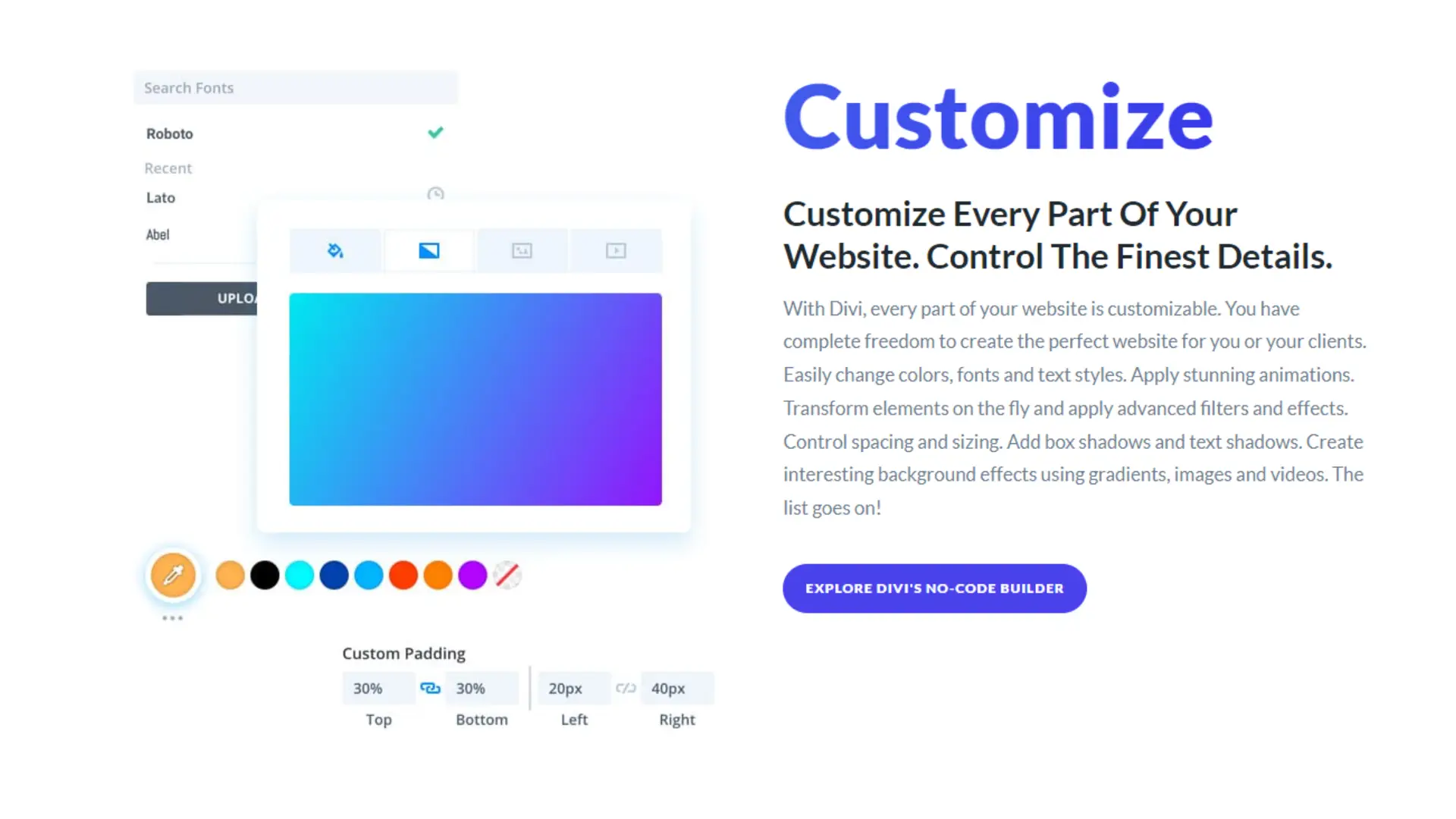
With a wide range of design options, you can control fonts, colors, spacing, and more. The built-in design controls simplify the customization process, enabling you to create unique and professional-looking websites tailored to your needs without extensive coding knowledge.
Pre-Made Layouts and Templates
Divi includes over 800 pre-made layouts and templates, known as Layout Packs. These Layout Packs cover various industries, providing a strong starting point for your designs. Each layout is fully customizable, allowing you to modify it to suit your branding and content requirements.
Using pre-made templates saves time and effort, helping you to quickly build a functional and attractive site. The library of layouts is regularly updated, ensuring you have access to fresh and modern designs at all times. You can import layouts with a single click, simplifying the design process even further.
Responsive Editing Features
Divi ensures your website looks great on any device with its responsive editing features. You can preview designs on desktop, tablet, and mobile views, making adjustments specifically for each device. This responsive approach helps maintain the quality and usability of your site across different screen sizes.
You can set specific design settings for various breakpoints, ensuring text, images, and layout components adapt appropriately. These features ensure your website maintains a consistent and seamless appearance, whether viewed on a large desktop monitor or a small smartphone screen.
Animation and Visual Effects
Divi includes extensive animation and visual effects to make your website more engaging. You can add animations to any element, customizing the timing, duration, and style. There are numerous animation presets, such as fade-ins, zooms, slides, and more, which you can apply with ease.
These animations enhance user experience with interactive and dynamic visuals. Additionally, Divi offers visual effects like hover states, transforming basic elements into more interactive components. All these features are integrated within the Visual Builder, ensuring you can add and adjust animations without coding.
Building Websites with Divi Builder
When using Divi Builder, you leverage its intuitive drag-and-drop editor, flexible modules, and structured content elements like sections, rows, and columns.
Using the Drag-and-Drop Editor
Divi Builder’s drag-and-drop editor makes designing websites accessible. You can add, move, and customize various elements without any coding knowledge. Simply drag components into place, re-arrange them, and see the real-time changes immediately.
This visual approach simplifies the design process, making it faster to create professional websites. You also have control over each element’s settings, enabling tweaks to margins, padding, and other style options directly from the editor.
Flexibility with Modules and Columns
With Divi Builder, flexibility is key. Modules and columns can be adapted to fit your design needs. More than 40 content modules such as text, images, and galleries are available. Each module offers extensive customization.
You can adjust column widths, combine different modules, and rearrange them to create complex layout structures. This flexibility means you can tailor your website precisely to your vision.
Structuring Content with Sections and Rows
Sections, rows, and columns are fundamental in Divi Builder. Sections act as the highest level for organizing content, ensuring everything is neatly divided. Inside sections, you place rows, which can contain varying numbers of columns.
This structured approach helps maintain order and alignment. You can also apply background colors, images, and videos to sections, further enhancing the design. Rows and columns can be adjusted and nested, giving you control over the content hierarchy and layout.
Advanced Divi Theme Options
Divi offers a range of advanced options for those looking to customize their website extensively. You can tailor nearly every aspect of your theme to fit your precise needs, from headers and footers to global modules and elements.
Theme Customization Panel
The Theme Customization Panel gives you access to various settings that allow for deep personalization of your site. You can adjust colors, fonts, and layouts with ease using its intuitive interface.
You also have control over responsive design settings, ensuring your site looks great on every device. Advanced users will appreciate options such as custom CSS, which allows for even more precise control and tweaking.
Theme Builder for Headers and Footers
With the Theme Builder, you can create and manage custom headers and footers. This powerful tool lets you design unique layouts for different sections of your site without needing to touch any code.
Using a drag-and-drop interface, you can add various elements like logos, navigation menus, and social media icons. Flexibility is key, as it allows you to apply these designs globally or to specific pages and posts.
Global Modules and Elements
Divi’s support for Global Modules and Elements simplifies maintaining consistent design across your site. When you create a global module, any changes made to it will reflect everywhere the module is used.
This is particularly useful for elements like buttons, forms, and images that need to stay uniform. The system also supports global styles, so you can ensure consistent branding throughout your entire website effortlessly.
Ecommerce Solutions with Divi and WooCommerce
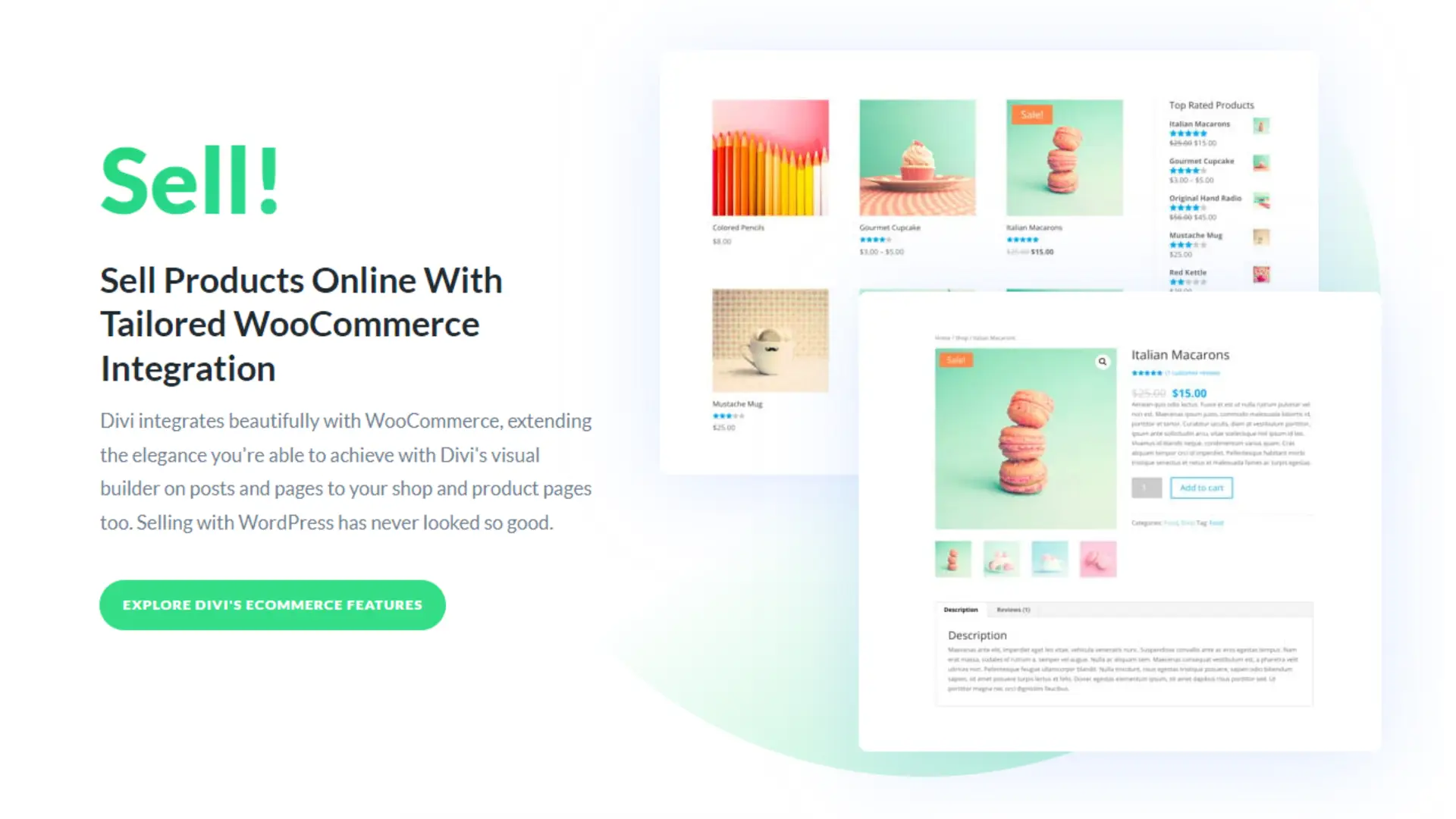
Using Divi with WooCommerce provides robust tools for building and managing beautiful ecommerce stores with ease. The combination leverages versatile design capabilities and seamless integration features.
Designing Ecommerce Stores
When designing ecommerce stores with Divi, you have access to a variety of theme templates specifically tailored for ecommerce. These templates come with pre-built layouts for product pages, shopping carts, and checkout processes. You can customize every aspect of your store using Divi’s visual editor, which allows you to see changes in real-time.
Divi’s drag-and-drop interface simplifies placing elements like product grids, pricing tables, and promotional banners. You can also use custom CSS for more advanced styling options. Responsive design features ensure your ecommerce store looks great on both desktop and mobile devices, enhancing user experience.
WooCommerce Integration Features
The WooCommerce integration with Divi ensures that setting up and managing your online store is straightforward. Divi Builder modules are specifically designed to work with WooCommerce, allowing you to insert product listings, individual product details, and shopping cart elements seamlessly.
WooCommerce provides extensive functionalities such as inventory management, payment gateways, and shipping options. These features can be easily accessed and customized through Divi’s interface. Additionally, you can leverage advanced WooCommerce extensions for subscriptions, memberships, and dynamic pricing to enhance your store functionalities.
Using WooCommerce with Divi also allows you to optimize for SEO, helping you attract more visitors and convert them into customers. The integration ensures compatibility with popular SEO plugins, further improving your store’s visibility in search results.
Enhancing Functionality with Divi Plugins
Divi Plugins can significantly boost the performance and versatility of your website. By leveraging the Divi Builder Plugin and ensuring compatibility with various WordPress Plugins, you can create a highly functional and optimized site.
Divi Builder Plugin
The Divi Builder Plugin provides a wide range of customization options for your website. It allows you to design layouts with a simple drag-and-drop interface. You can use pre-made templates to speed up the development process or create new ones suited to your needs.
Responsive design settings ensure that your site looks good on any device. The plugin also supports inline text editing, which simplifies content management. Overall, the Divi Builder Plugin boosts efficiency without sacrificing creativity.
Compatibility with WordPress Plugins
Ensuring that the Divi theme and its builder are compatible with essential WordPress Plugins is crucial for a seamless website experience. Many key plugins, such as WooCommerce for e-commerce and Yoast SEO for optimization, work well with Divi.
Testing plugins for compatibility is important to avoid conflicts that can disrupt your site. Practicing good plugin hygiene keeps your backend clean and your site running smoothly.
Optimizing Site Performance
Optimizing your site enhances speed and overall efficiency, which affects user experience and search engine ranking. Key factors include how you manage speed and make informed hosting decisions.
Speed and Efficiency
To improve speed, focus on optimizing images. Use formats like WebP, which are smaller yet maintain quality. Include lazy loading to defer offscreen images, making your site load faster.
Minify CSS, JavaScript, and HTML files to reduce their size and streamline code. Tools like Gzip can help compress these files further, reducing the load time.
Utilize a Content Delivery Network (CDN) to distribute content closer to users, improving access times significantly. Also, leverage browser caching to store files locally, decreasing the time it takes for pages to load on repeat visits.
Hosting Considerations
Selecting the right hosting plan is crucial. Shared hosting is budget-friendly but can slow down your site if resources are overused. For better performance, consider VPS or managed WordPress hosting.
A host with solid-state drives (SSDs) can access data faster than traditional hard drives, contributing to quicker page loads. Hosting providers offering built-in caching and CDN support can also improve performance.
Check on uptime guarantees – a high uptime ensures your website is accessible, enhancing both user experience and SEO. A host with scalable resources allows your site to grow without sacrificing performance.
Pricing and Value Proposition
Divi offers flexible pricing options to suit different user needs. You can choose between an annual subscription or a lifetime license, each with its own set of benefits and costs. The choice you make influences the long-term value and cost-efficiency you experience.
Comparative Analysis of Pricing Plans
Divi provides two primary pricing models: Annual Subscription and Lifetime License.
The Annual Subscription costs $89 per year. This plan includes access to all themes, premium support, regular updates, and usage on unlimited websites.
The Lifetime License is priced at $249. This one-time fee grants you lifetime access to all Divi products, updates, and premium support, also for unlimited websites.
An annual subscription benefits users needing a flexible, short-term solution. The lifetime license, while a larger upfront investment, is cost-efficient for long-term use, eliminating recurring payments.
Lifetime License vs. Annual Subscription
The Lifetime License offers significant long-term value. For $249, you receive continuous updates and premium support without recurrent fees. This option caters to users planning long-term projects or managing multiple websites.
The Annual Subscription at $89 per year suits those who prefer not to commit large upfront costs. It provides access to the same benefits but requires yearly renewals, which may add up over time.
Considering you plan to use Divi for more than three years, the lifetime license could be the most economical choice. For shorter-term or fluctuating needs, the annual subscription provides needed flexibility. Choosing depends on your budget and project duration.
Getting Support and Resources
Divi provides numerous support channels and a range of educational materials to help you get the most out of the platform. You can expect prompt assistance and extensive resources to enhance your learning curve.
Customer Support Services
Divi offers robust customer support services available 24/7 through multiple channels. You can reach the support team via live chat, email, or support tickets. The dedicated support team ensures quick response times and detailed, step-by-step solutions.
Live chat is the fastest way to get help, with agents typically responding within minutes. Email and support tickets are suitable for more complex issues, offering comprehensive written guidance. The support team is knowledgeable about all aspects of Divi, ensuring you get accurate and helpful information.
Learning Resources and Tutorials
Divi features a rich library of learning resources and tutorials designed to help users at all skill levels. The official blog includes articles and guides on various topics, from basic setup to advanced design techniques.
Video tutorials are plentiful on YouTube and the Divi website, covering everything from module customization to troubleshooting common issues. Additionally, the Divi Documentation section provides detailed, searchable references for all features and functionalities.
Community forums and Facebook groups are active platforms where you can seek peer advice and share experiences, giving you access to a broader network of support.
User Interface and Experience
The Divi theme offers a powerful and intuitive interface, designed to enhance productivity and streamline the website building process. You’ll find an engaging mix of customization options and visual tools that cater to both beginners and experienced developers.
Navigating the UI of Divi
Navigating the Divi UI is straightforward. The dashboard includes clear menus and options, making it easy to access features. You have the ability to customize your site through the Customizer, providing a real-time preview of changes.
The use of drag-and-drop elements simplifies building, allowing you to add modules, rows, and sections effortlessly. The interface is clean and modern, designed to minimize clutter and maximize efficiency.
User Experience with Visual Builder
The Visual Builder is at the heart of Divi’s user experience. It offers a real-time editing environment, letting you see changes instantly. This feature significantly reduces development time and improves accuracy.
You can click on any element to adjust settings or content, making it highly interactive. The Visual Builder also supports responsive design, ensuring your site looks great on all devices. Moreover, it includes a vast library of pre-made layouts, saving you the effort of starting from scratch.
Exploring Divi for Developers
Divi provides a robust environment for developers, featuring flexible customization options through Custom CSS and advanced functionality with filter hooks and actions. These tools enable you to create highly tailored designs and behaviors.
Custom CSS and Child Themes
Custom CSS allows you to fine-tune your Divi designs beyond the standard options available within the builder. By adding your own CSS rules, you can adjust styles with precise control.
Create a child theme to keep your customizations safe from updates.
Using a child theme enables developers to make extensive changes to Divi’s design and functionality without altering the original theme files. By implementing Custom CSS within a child theme, your modifications persist through theme updates, ensuring stability and continuity.
Filter Hooks and Actions
Filter hooks and actions are essential for extending Divi’s functionality. They allow you to customize how different parts of Divi operate without modifying core files.
Filter hooks let you modify data before it is used. You can use filter hooks to alter content, adjust settings, or manipulate output generated by Divi.
Actions let you add custom functionality at specific points in the theme’s workflow. They are useful for integrating third-party plugins, adding custom features, or tracking events. Utilizing hooks and actions effectively requires a solid grasp of coding and a clear strategy for what you aim to achieve.
Case Studies and User Testimonials
Discover how Divi has transformed real-world projects and dive into Trustpilot Reviews to understand user satisfaction and trust.
Real-World Examples
Various projects have successfully leveraged Divi’s features to create stunning websites. For instance, a local bakery used Divi to build an attractive, user-friendly site, increasing their online orders by 40% in six months.
A digital marketing agency utilized Divi’s customizability to deliver client-specific needs, resulting in a 25% client retention boost.
Nonprofit organizations also found Divi useful. One nonprofit created an engaging website to better communicate their mission and reach new donors. These examples highlight the versatility of Divi across different sectors.
Trustpilot Reviews and Ratings
Divi holds a strong presence on Trustpilot, with many users giving positive feedback. The platform currently boasts a 4.5-star rating, with many reviewers praising its ease of use and customization options.
Common praises include outstanding customer support and the regular updates that keep the platform current with web design trends.
While most feedback is positive, some users have mentioned occasional slowdowns, indicating potential areas for improvement. Reading through Trustpilot reviews gives you a balanced view of what to expect from Divi based on other users’ experiences.
Optimizing SEO with Divi
Divi offers features that help optimize your site for better search engine rankings. This includes design options and tools specifically aimed at improving visibility.
SEO-Ready Design Features
Divi includes built-in tools and features that make optimizing your website for search engines straightforward. Responsive design ensures your site looks great on all devices, a critical factor for search engines.
You can also customize meta titles and descriptions for each page, which helps search engines understand your content better. Fast loading times are crucial for SEO, and Divi’s clean code contributes to better performance.
The theme is compatible with popular SEO plugins like Yoast, which further enhances your optimization efforts.
Enhancing Visibility with Divi
Divi’s features help you boost your site’s online presence. Pre-built Website Packs include templates designed with SEO in mind, reducing the need for additional customization.
Schema markup is another feature provided by Divi, helping search engines read your site’s content more efficiently. You can also build custom landing pages that target specific keywords, making it easier to rank for those terms.
Additionally, Divi’s A/B testing tools allow you to experiment with different layouts and content strategies to find what works best for attracting and retaining visitors.
Content Management and Dynamic Content
Divi offers robust features that make content management efficient and enables dynamic content creation with ease. These tools enhance functionality and customization.
Content Modules
Divi’s content modules are essential for creating diverse and engaging web pages. With over 40 built-in modules, you can easily add elements like text, images, sliders, and galleries. Each module is highly customizable, allowing you to adjust styles, layouts, and advanced settings to fit specific needs.
Some key features include easy drag-and-drop functionality, global elements, and real-time design. Global elements allow you to update a single module and reflect changes across your entire site. This consistency and flexibility help maintain a cohesive design effortlessly.
Bulk Editing and Dynamic Elements
Bulk editing in Divi streamlines the management process, saving time when making widespread changes. You can select multiple elements and apply edits simultaneously. This feature is particularly useful for maintaining consistency across large websites.
Dynamic elements bring your content to life by pulling in data automatically from various sources. You can integrate dynamic content like blog posts, products, or external data feeds directly into your design. This functionality ensures that your website remains up-to-date and relevant without constant manual updates.
Working with Multimedia
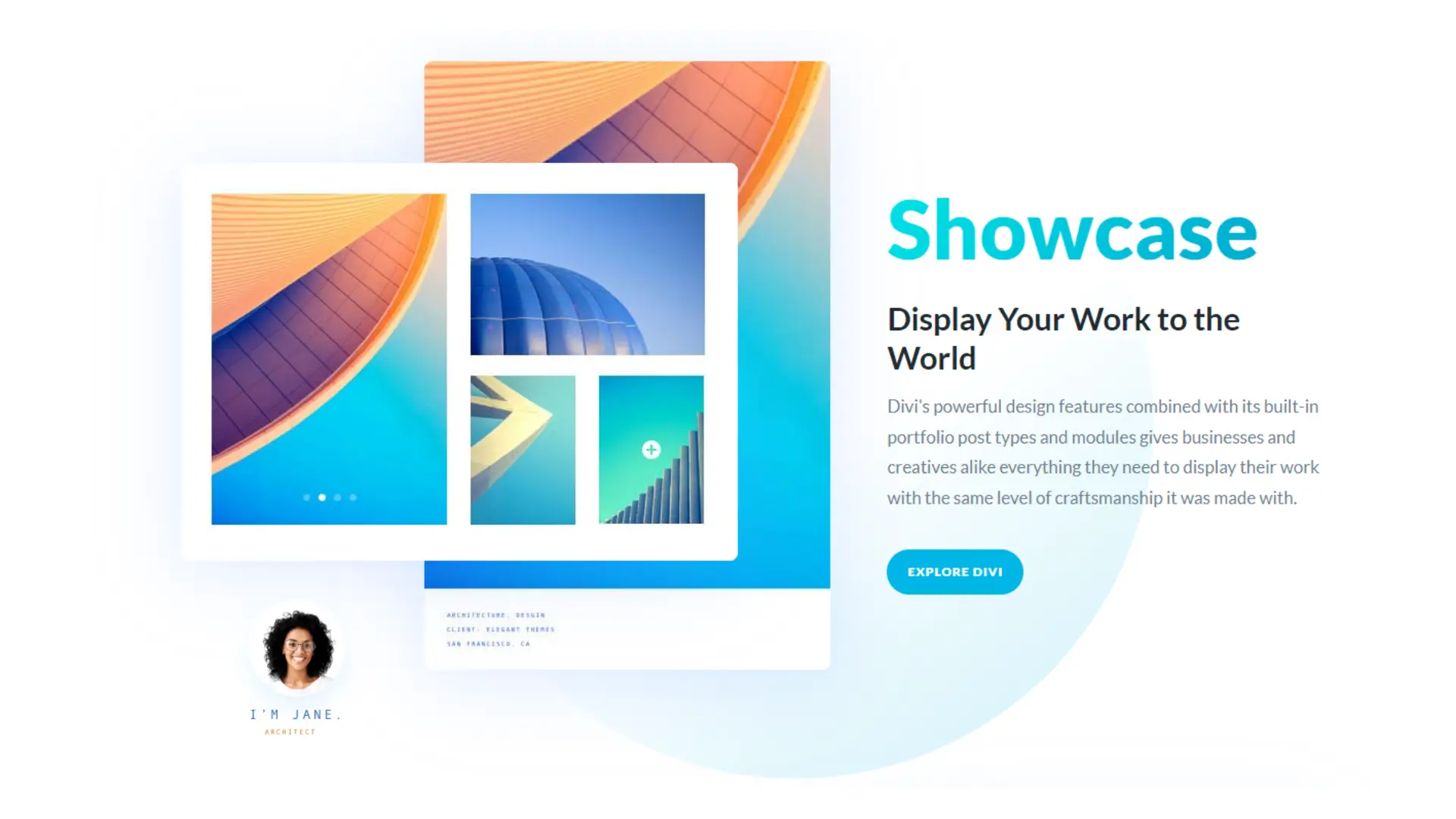
Divi’s multimedia capabilities enhance your site’s visual and auditory appeal. Whether you’re incorporating image galleries or adding audio, Divi provides flexible and user-friendly tools.
Image and Video Galleries
Divi makes creating image and video galleries simple and intuitive. You can arrange images in various layouts such as grids and sliders.
Adjust the font, size, and shape of captions to match your site’s design. Utilize effects like hover animations to engage users. Video galleries can be embedded easily, offering multiple styling options to maintain visual coherence.
With Divi’s gallery module, you create visually appealing displays that enhance user experience.
Audio and Media Integration
Integrating audio and other media files in Divi is hassle-free. The audio module allows you to upload files directly or embed them from external sources.
You can customize the player’s size and shape to fit your design. Options for autoplay, loop, and controls ensure a seamless auditory experience. Proper use of multimedia elements increases engagement and provides a richer browsing experience for your audience.
Conversion Features and Split Testing
Divi offers powerful tools for enhancing website conversions, including effective opt-in forms and robust A/B testing capabilities. These tools allow you to fine-tune your site for maximum user engagement.
Opt-In Forms and Call to Actions
Divi provides various opt-in form layouts and Call to Action modules to capture leads and drive conversions. You can place these forms strategically across your site, including in headers, footers, and sidebars.
Divi’s extensive customization options enable you to design forms that align with your brand. You can tweak elements like fonts, colors, and images.
The built-in integrations with popular email marketing services, such as MailChimp and AWeber, ensure seamless lead management. You can track user interactions and trigger targeted campaigns.
A/B Testing with Divi Leads
Divi Leads enable you to conduct Split Testing on various elements of your website, such as headers, images, and CTAs. This allows you to determine which variations perform best and optimize accordingly.
Set up tests easily through the Divi Builder interface. Select the element you wish to test, and specify the metrics for success, like click-through rates and bounce rates.
Analyze results with clear visual reports that show which version is more effective. This data-driven approach ensures you make informed decisions to boost website performance.
Website Maintenance and Updates
Ensuring your website stays current and functions smoothly involves managing updates and handling routine maintenance effectively. Proper attention to these areas helps prevent issues and keeps your site running optimally.
Managing Updates
Regular Updates: Keeping your theme, plugins, and WordPress core updated is crucial. Outdated software can lead to security vulnerabilities and compatibility issues. Schedule periodic checks to ensure all components are up to date.
Compatibility Checks: Before applying any updates, especially major ones, verify compatibility with your existing setup. Some updates can cause conflicts with your current theme or plugins. Use a staging environment to test updates without impacting your live site.
Backup Procedures: Always backup your site before applying updates. This ensures that you can quickly restore your site in case something goes wrong during the update process. Use reliable backup solutions that provide both automated and manual backup options.
Automated Updates: Enable automated updates for minor changes, like security patches and bug fixes. This saves time and reduces the risk of overlooking critical updates. For major updates, manual intervention may still be required to ensure everything runs smoothly.
Handling Website Maintenance
Performance Monitoring: Regularly monitor your website’s performance. Slow loading times can lead to a poor user experience and lower search engine rankings. Use tools like Google PageSpeed Insights to identify areas that need improvement.
Security Checks: Conduct routine security audits to protect your site from threats. Implementing strong passwords, two-factor authentication, and using security plugins can help safeguard your site. Regularly scan for malware and other vulnerabilities.
Content Management: Keep your content fresh and relevant. Update outdated information and remove or archive old posts that no longer serve a purpose. This not only improves user engagement but also enhances SEO.
Database Optimization: Clean up and optimize your database to keep it running efficiently. Over time, databases can become cluttered with unnecessary data. Tools like WP-Optimize can help automate this process, ensuring your site remains fast and responsive.
Technical Support: Have a reliable technical support plan in place. Whether it’s an in-house team or an external service, make sure you have access to prompt assistance when issues arise. This minimizes downtime and ensures quick resolution of technical problems.
Divi | Pros & Cons
Divi WordPress Page Builder is a powerful and versatile tool that empowers users to create stunning websites with ease, making it a popular choice for anyone looking to enhance their online presence.
Pros
Cons
Divi Review | Our Take
Divi WordPress Builder has garnered significant acclaim in the web development community for its user-friendly interface and powerful features. This intuitive drag-and-drop builder allows users, regardless of their technical expertise, to create visually stunning and highly functional websites with ease.
Divi’s extensive library of pre-designed templates and modules offers a head start on design, while its real-time editing capabilities streamline the development process. This makes it an ideal tool for both beginners looking to build their first website and seasoned developers seeking efficiency and flexibility.
Divi’s responsive design ensures that websites look great on any device, enhancing user experience across platforms. The builder also boasts robust customization options, enabling users to tailor every aspect of their site to match their brand identity.
Additionally, Divi’s active community and comprehensive support resources, including detailed documentation and tutorials, provide invaluable assistance to users. With its combination of versatility, ease of use, and strong support, Divi WordPress Builder stands out as a top recommendation for anyone looking to create a professional and dynamic online presence.
Divi Review | FAQs
What are the strengths and weaknesses of using Divi for WordPress?
Divi is known for its extensive customization options and user-friendly drag-and-drop builder. It offers a wide variety of pre-made layouts and modules. However, some users find it resource-intensive, which can lead to slower load times.
How user-friendly is Divi for beginners looking to create a website?
Beginners often appreciate Divi’s intuitive interface and the availability of numerous tutorials and support resources. The drag-and-drop functionality makes it easy to build pages without coding knowledge. Some beginners might find the numerous features overwhelming at first.
What are some common criticisms of the Divi theme?
Users sometimes criticize Divi for its potentially steep learning curve due to the multitude of features. Some also mention that websites built with Divi can feel bloated, affecting performance. Additionally, migrating away from Divi can be challenging.
How does Divi compare to other popular themes like Elementor and Avada?
Divi offers more built-in modules and design options compared to Elementor and Avada. While Elementor is often praised for its speed and minimalist interface, Divi provides deeper customization. Avada is known for its flexibility but might require more setup time.
What experiences have users had with Divi’s customer support and updates?
Users generally report positive experiences with Divi’s customer support, noting responsive and helpful assistance. Regular updates keep Divi compatible with WordPress and ensure new features and improvements. However, some users have experienced occasional bugs post-update.
Can Divi’s performance impact website speed, and how can it be optimized?
Yes, Divi can sometimes slow down website performance due to its extensive features and scripts. To optimize, you can use caching plugins, minimize the use of heavy modules, and ensure clean code practices. Regular performance monitoring is recommended to maintain speed.
Related Articles & Blog Posts

Email Marketing & Funnels for Beginners: Learn how to build an email list, nurture trust and create sustainable online income
Latest Blog Posts
Email Marketing & Funnels for Beginners: Learn how to build an email list, nurture trust and create sustainable online income

You probably think you feel stuck because you don’t know enough. I used to believe the same thing. When I first started

You’ve probably heard that building online income requires multiple income streams. Maybe you’ve seen people talking about affiliate marketing, blogging, YouTube,
