
Elementor Review

Elementor, a leading WordPress page builder, has revolutionized website creation. Powering 16 million+ websites worldwide, it offers a comprehensive set of features and is user-friendly for both begginers and advanced web designers. Elementor is one of the most feature-packed page builders on the market, with the option to gain access to additional developer tools through the Pro add-on.

Are you looking for a WordPress page builder that combines powerful features with user-friendly design and the power of AI? If so, keep reading to discover how Elementor could transform your website building experience.
It can be difficult to find a page builder that suits your design needs, your level of technical expertise, and your budget.
Elementor was the WordPress plugin I used when I was building my first blog and wanted more to create a site that could do more than just publish posts. Creating WordPress websites can be challenging due to limited customization options and time-consuming tiny changes.
With Elementor, you gain access to an intuitive and feature-rich page builder that significantly enhances your website-building process without compromising performance – and now you can employ AI to do the heavy lifting for you!

Elementor: Overview
Elementor emerged in 2016, developed by a team of web professionals aiming to streamline the web design process on WordPress. Elementor’s intuitive interface quickly gained popularity, with over 2 million users spanning content writers, marketers, businesses, and developers.
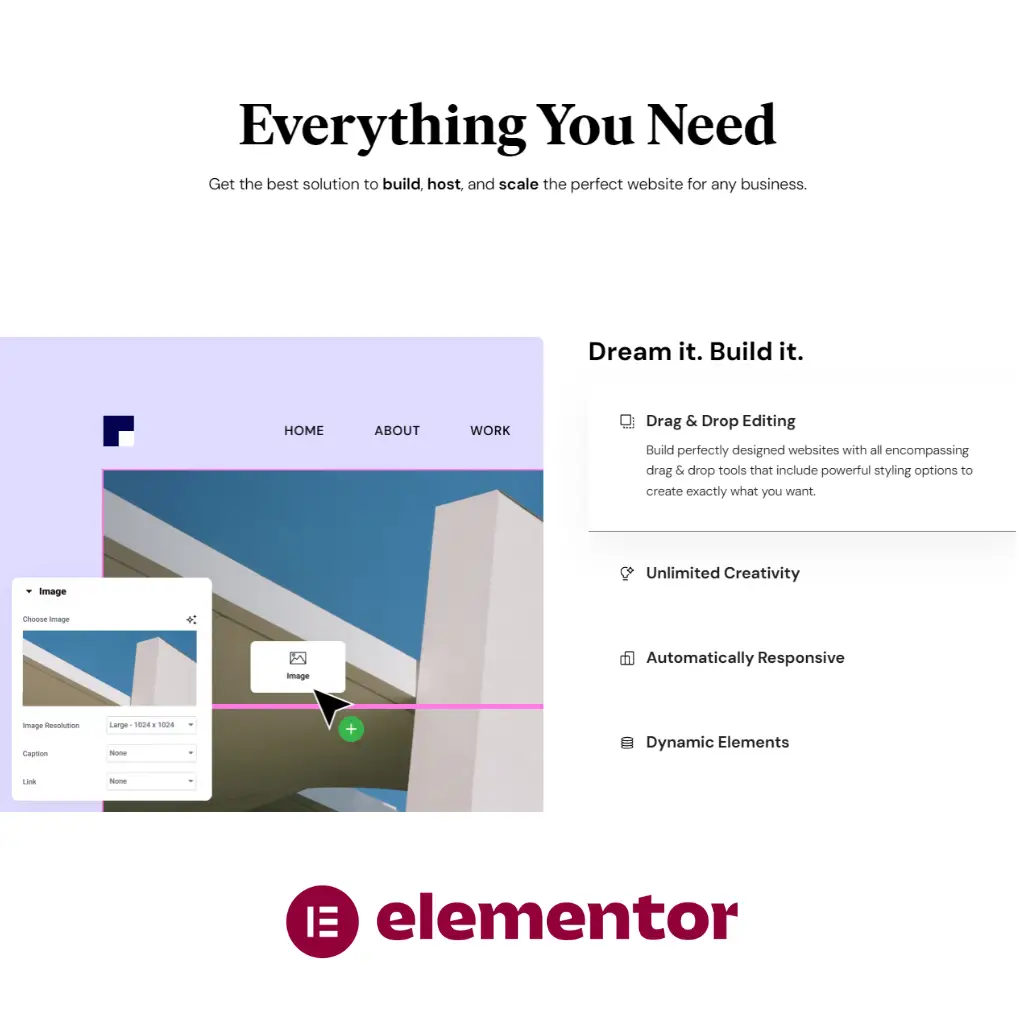
Elementor stands out as one of the premier WordPress page builders, known for its intuitive drag-and-drop interface and powerful features. With Elementor, you can create visually stunning websites without any coding knowledge. The platform offers a variety of widgets, such as forms and popups, making it versatile for different types of websites.
Elementor’s free version provides ample tools for basic customization, but the Pro upgrade unlocks advanced features like the theme builder and WooCommerce integration. This enhancement makes it easier to manage design consistency across your site and handle e-commerce functionalities effectively. Choosing Elementor can significantly streamline your website building process.
If you’re looking for flexibility in design, Elementor excels with comprehensive responsive design options, animations, and spacing controls. This makes it easier to ensure your site looks great on any device. For those who need robust, user-friendly website-building capabilities, Elementor remains a top choice.
What Is Elementor?
Elementor is a drag-and-drop page builder plugin designed for WordPress users. Since its launch in 2016, it has gained popularity for its user-friendly interface and powerful customization options. With Elementor, you can build intricate page layouts using a simple drag-and-drop interface. The plugin is suitable for both beginners and experienced developers, facilitating the creation of visually appealing websites without requiring any coding knowledge.
Core Features of Elementor
Elementor comes packed with robust features that make it a favorite among WordPress users. Some of its core features include:
- Drag-and-drop interface: Allows you to easily add, remove, and arrange elements on your page.
- Responsive design: Ensures that your website looks great on all devices, including desktops, tablets, and smartphones.
- Widgets: Offers a wide selection of widgets for elements like text, images, videos, buttons, and more.
- Theme builder: Lets you customize your entire website, including headers, footers, and other global elements.
- Popup builder: Enables the design and management of popups for marketing and user engagement.
- Form builder: Provides tools to create complex forms, enhancing user interaction and data collection.
Elementor Free vs Pro
Elementor offers both a free version and a Pro version, each catering to different needs. Elementor Free provides basic features suitable for creating standard pages. It includes essential widgets and design capabilities but lacks advanced tools.
Elementor Pro unlocks premium features that significantly enhance the functionality and flexibility of the plugin. The Pro version includes:
- Additional widgets and templates: Expands the range of design elements and pre-made templates.
- WooCommerce builder: Offers specialized tools for creating and managing online stores.
- Advanced design options: Includes enhanced design capabilities like custom CSS, animations, and more.
- 24/7 support: Access to premium customer support for troubleshooting and assistance.
Choosing between Elementor Free and Pro depends on your project requirements and budget. The Pro version is ideal for users needing advanced customization and features.
Ease of Use
Elementor’s ease of use primarily stems from its intuitive design and user-friendly features, which make building websites straightforward for both beginners and experienced users.
Getting Started with Elementor
When you first install Elementor, you’ll find it easily accessible from your WordPress Dashboard. The setup process is simple:
- Install and Activate: Locate Elementor in the WordPress Plugin Repository and click “Install Now.”
- Access the Editor: Once activated, you can access Elementor directly from the page or post editor, typically by clicking on the “Edit with Elementor” button.
The drag-and-drop functionality is central to Elementor. You can quickly build page layouts by dragging widgets onto your page. Elementor also offers a variety of pre-built templates which you can customize to suit your needs. This feature significantly reduces the time required to create visually appealing pages.
User Interface
The user interface of Elementor is designed to be intuitive and user-friendly.
- Sidebar: The left sidebar houses all the widgets and tools you need. It’s neatly categorized, making it easy to find elements like text blocks, images, or complex widgets like sliders and forms.
- Real-Time Preview: As you build, you can see how your design will look in real-time. This eliminates the guesswork and allows you to make adjustments on the fly.
- Advanced Tabs: For those who want more control, the Content, Style, and Advanced tabs provide extensive customization options. You can adjust everything from margin and padding to specific display conditions for different devices.
Elementor’s interface works seamlessly, enabling you to create custom, professional designs without needing to write a single line of code.
Customization Capabilities
Elementor provides extensive customization options, making it a popular choice for website designers. This section delves into various key aspects like design flexibility, custom CSS, inline text editing, responsive editing, and motion effects.
Flexibility of Design
Elementor offers robust design flexibility. You can build nearly any layout using its drag-and-drop interface. Its widget library enables you to integrate buttons, images, headings, and more.
Pre-designed templates speed up the creation process. You can customize every element to fit your needs. For instance, altering font styles, colors, and spacing is straightforward. This versatility makes Elementor suitable for both beginners and experienced designers.
Custom CSS and Inline Text Editing
Elementor allows you to use custom CSS to refine the appearance of your website. This feature enables granular control over the design. You can apply unique styles to pages or individual elements, making your site more distinctive.
Inline text editing is another powerful feature. You can edit content directly on the page, which speeds up the design process. Highlighting text, adding links, and making adjustments is simple and intuitive.
Responsive Editing
Responsive design is crucial, and Elementor excels in this area. It provides options to customize your site for different devices. You can adjust settings for desktop, tablet, and mobile views independently.
Preview modes let you see how your site appears on various devices. Adjusting layout, font sizes, and other elements ensures a seamless experience for all users. This level of control helps maintain a consistent and professional look across platforms.
Motion Effects and Animations
Motion effects and animations add dynamism to your website. Elementor includes features like parallax scrolling, entrance animations, and background overlays. These effects can make your site more engaging and visually appealing.
You have the flexibility to customize these effects to match your brand’s style. For instance, you can control the speed and trigger points of animations. These features enable you to create interactive and visually stunning web pages.
Website Building Features
Elementor provides a wide array of features designed to make website building both accessible and sophisticated. Key components include the comprehensive Theme Builder, seamless WooCommerce integration, and robust dynamic content handling.
Theme Builder
Elementor’s Theme Builder allows you to design every part of your WordPress site without touching a line of code. Through an intuitive drag-and-drop interface, you can effortlessly create and customize headers, footers, and other theme elements.
You have full control over global settings, enabling consistency across your site. With conditional display options, you can tailor specific templates to different pages or posts. This ensures that your website maintains a cohesive look and feel, aligning perfectly with your brand identity.
WooCommerce Integration
The WooCommerce integration in Elementor is exceptionally powerful, enabling you to design your online store with ease. The WooCommerce Builder lets you style every part of your store, including product pages, shop pages, and checkout processes, ensuring a seamless user experience.
You can create custom product templates that highlight your merchandise effectively and use widgets to add product lists, categories, and purchase buttons. This flexibility enhances your ability to create a unique and engaging e-commerce platform that appeals to your customers.
Dynamic Content Handling
Dynamic content handling in Elementor allows you to pull in data from various sources, making your website more interactive and personalized. You can integrate custom fields and post types to populate content automatically, reducing the need for manual updates.
This feature is particularly useful for creating dynamic lists and grids, displaying content that updates in real-time. By leveraging advanced content controls, you ensure that your site remains fresh and relevant, tailored to meet the needs of your audience.
Templates and Blocks
Elementor offers a robust collection of templates and blocks to streamline the design process. These resources facilitate quick and efficient website creation, ensuring you can focus on customizing content rather than starting from scratch.
Access to Pre-Made Templates
Elementor provides access to over 150 free templates and more than 300 templates with Elementor Pro. These include full-length page templates and individual element templates known as blocks. You can find a wide variety of Elementor templates suitable for different niches, ensuring that your website meets specific design requirements.
Pre-made templates simplify the website-building process. With a few clicks, you can apply a professionally designed landing page template or any other page layout. This makes it easier to have a beautiful and functional site without extensive design skills. Customization is straightforward, allowing you to adjust elements to match your branding and style preferences.
Building with Sections and Blocks
Using Elementor, you can build pages with distinct sections and blocks, which are pre-designed to serve specific functions. You start by selecting from a variety of pre-made sections and blocks, each designed to fit particular needs like headers, footers, testimonials, or contact forms.
Once you choose a block, you can place it into a section of your page. You can then utilize Elementor’s drag-and-drop feature to arrange columns within these blocks, giving you flexibility in layout and design. For finer adjustments, Elementor allows you to tweak details in the Content, Style, and Advanced tabs.
This modular approach to building web pages ensures a high degree of customization while still leveraging the convenience of pre-made designs. Blocks can be combined and customized to create a cohesive and appealing user interface, paving the way for a professional and unique website.
Functionality and Add-Ons
Elementor offers a robust set of functionalities designed to enhance the web building experience. Key features include a wide array of customizable widgets and modules, as well as powerful popup and form builders.
Widgets and Modules
Elementor provides an extensive selection of widgets and modules that allow you to create and customize various sections of your website. These elements include content grids, sliders, pricing tables, image galleries, and more. Each widget is designed to be highly responsive, adjusting seamlessly to different devices such as desktops, laptops, tablets, and smartphones.
Widgets like Essential Addons for Elementor and Livemesh Addons for Elementor add even more functionality. These include advanced elements like testimonials, profiles, and content switchers. They offer both free and premium options, ensuring that you have the flexibility to choose features that best suit your needs.
Popup and Form Builders
Elementor’s Popup Builder allows you to create highly customizable popups for your website. You can design popups to show at specific times or based on user interactions like scrolling or clicking. These popups can be used for a variety of purposes, such as email subscriptions, promotional offers, or user engagement prompts.
The Form Builder is another crucial tool that helps you create complex forms without any coding. You can add fields such as text input, checkboxes, and dropdown menus. The form builder integrates well with various third-party services for email marketing, CRM, and other functionalities.
Combining these tools, Elementor offers a comprehensive solution for creating dynamic, visually appealing, and user-friendly websites.
Performance and Optimization
Improving website performance with Elementor involves strategies to enhance page load times and ensure SEO-friendly, mobile-responsive designs.
Page Load Times
Elementor introduces techniques such as dynamic CSS loading, which improves page load speeds by creating a cache of elements with dynamic values. When a page is loaded for the first time, these cached elements prevent redundant processing in subsequent visits.
Optimizing images, a crucial factor in speed, is simplified using Elementor’s built-in tools. Implementing lazy loading ensures images load only when they appear in the viewport, reducing initial load times. Choosing a suitable web hosting provider also plays a vital role, as servers with higher performance can handle requests more efficiently.
SEO and Mobile Responsiveness
Elementor helps create SEO-friendly websites by enabling the use of clean and semantic HTML markup. You can configure meta tags, alt texts for images, and other SEO best practices directly within the editor. Ensuring mobile responsiveness is essential for SEO rankings and user experience.
Elementor offers mobile editing features allowing you to optimize layouts and content for various screen sizes. Automatic responsive controls adjust font sizes, padding, and other design elements for mobile devices, ensuring your site is visually appealing and functional on any device. Leveraging these tools ensures better performance metrics and improved search engine rankings.
Support and Community Resources
Elementor offers a variety of resources to help users get the most out of its page builder. You can access these resources through different support channels and by tapping into a vibrant community of experts and fellow users.
Access to Support Channels
Elementor provides several support channels to assist you with any issues or questions. For immediate help, Elementor Pro users have access to 24/7 premium customer support, allowing for around-the-clock assistance. This includes live chat and email options.
For those using the free version, there is still plenty of support available. Elementor’s extensive documentation consists of numerous tutorials and guides, which cover all aspects of using the plugin. You can also find video tutorials on their official YouTube channel, aimed at both beginners and advanced users.
In addition, Elementor maintains an FAQ section on their website that addresses common issues and questions. They also offer a ticketing system for more detailed inquiries, although response times may vary.
Community and Expertise
The Elementor community is a robust network of designers, marketers, and developers, providing a wealth of shared knowledge and resources. One of the main hubs for this community is the Elementor Facebook Group, which boasts thousands of active members.
In these online community forums and groups, you can find tips, tricks, and real-world use cases shared by other Elementor users. Testimonials from seasoned users often highlight unique ways to leverage the plugin’s features.
Additionally, Elementor has partnerships with various expert designers and marketers who offer specialized services. These experts often contribute to the community by writing blog posts, creating video tutorials, and participating in webinars.
Engaging with these professionals and community members can significantly enhance your understanding and use of Elementor, making it a more powerful tool for your web design projects.
Integrations and Compatibility
When using Elementor to build your WordPress site, understanding its integrations and compatibility with third-party tools and themes is crucial. This impacts the functionality and user experience of your website.
Third-Party Integrations
Elementor boasts extensive third-party integrations, making it a versatile choice for WordPress users. You can seamlessly integrate with popular marketing tools such as MailChimp, ActiveCampaign, and HubSpot. This enables you to manage email marketing campaigns directly through your website.
E-commerce solutions like WooCommerce also integrate smoothly with Elementor. This allows you to create customized product pages and enhance the shopping experience. Social media widgets let you connect your site easily with platforms like Facebook, Instagram, and Twitter, boosting your online presence.
For SEO, Elementor supports Yoast SEO and Rank Math, helping you optimize your content effortlessly. This wide range of integrations ensures that your WordPress site remains functional, regardless of your specific needs.
WordPress Theme Compatibility
Elementor demonstrates exceptional compatibility with a broad spectrum of WordPress themes. Whether you are using free options or premium ones like Astra, OceanWP, and GeneratePress, Elementor works seamlessly. This ensures that you can maintain a consistent design without compatibility issues.
A noteworthy mention is its complete integration with the Hello theme, created by Elementor. This theme is lightweight and designed to work flawlessly with Elementor, enhancing performance and customizability.
For those using older or custom themes, Elementor’s adaptability guarantees that theme-related conflicts are minimized. By ensuring compatibility with various themes, Elementor helps you create a cohesive and high-performing WordPress site without needing extensive troubleshooting.
Advanced Features and Extensions
Elementor has introduced various advanced features and extensions that enhance its functionality significantly. These additions allow for greater control over design elements and integration of dynamic data, catering to both developers and end-users.
Developer Tools
For developers, Elementor provides a suite of tools that streamline workflow and development processes. Elementor’s API allows you to create custom widgets and extend existing ones, offering flexibility for specific needs.
Custom Code Injection enables you to add HTML, CSS, or JavaScript directly into your Elementor templates. This feature is particularly beneficial for implementing unique design elements or functionalities without relying on external plugins.
Another crucial aspect is the Developer Documentation, which offers comprehensive guides and examples. It helps developers get the most out of Elementor’s capabilities, ensuring that customizations are seamless and efficient.
Loop Builder and Dynamic Data
The Loop Builder feature allows you to create templates for repeating content, such as blog post listings or product grids. This simplifies creating archives and category pages, ensuring consistency across your site.
Dynamic Data Integration takes this a step further by allowing you to use custom fields and data sources directly within your templates. This means you can display dynamic content pulled from your database, making your designs more functional and personalized.
Combining these elements, you can create highly customizable, data-driven websites. Elementor’s built-in tools provide the flexibility needed to cater to a wide range of site designs and functionalities, enabling a robust web development experience.
User Cases and Testimonials
Elementor has helped countless users create dynamic and visually appealing websites. Feedback from users highlights success stories and testimonials that showcase the platform’s versatility and effectiveness.
Real-Life Success Stories
Many small businesses have benefited significantly from using Elementor. Around 4.6% of the world’s websites are built with Elementor. This reflects its wide adoption and effectiveness.
Freelancers and digital agencies often highlight how the drag-and-drop interface saves time, allowing them to deliver projects faster. One user turned a struggling blog into a highly engaging site, boosting visitor engagement and revenue. These stories validate the platform’s capability to meet diverse needs.
Feedback from Diverse User Base
Users from various industries provide positive insights about Elementor’s functionality. According to Trustpilot reviews, customers appreciate the built-in tools like Form and Pop-ups, which help create conversion-focused landing pages.
Another frequently mentioned benefit is the extensive customization options, allowing users to add unique branding to their websites. This flexibility makes Elementor a preferred choice for both novice users and experienced developers. Feedback consistently emphasizes its user-friendly UI and robust performance, confirming Elementor’s reputation for reliability and innovation.
Across different platforms, users praise the tool’s ability to simplify complex design tasks, making it accessible to those without extensive coding knowledge. This inclusive approach has made Elementor a trusted tool for anyone looking to build professional websites easily.
Future of Page Building with Elementor
Elementor stands poised to continue shaping the landscape of web design. It leverages advancements in technology to enhance user experience and offers an evolving toolkit for designers.
Evolutions in Web Design
Web design is continually evolving, and Elementor is at the forefront of this transformation. The integration of AI-driven features like predictive design tools enhances both efficiency and creativity. These tools can suggest design elements, layout adjustments, and even content ideas based on user behavior and preferences.
Responsive design capabilities ensure your websites look great on any device, a necessity in today’s mobile-centric world. Elementor’s drag-and-drop interface remains vital, allowing you to create visually complex pages without any coding knowledge. This ensures that even novice designers can build professional-grade websites.
With a focus on real-time editing and previews, you get instant feedback on how changes will appear live. This streamlines the design process, making it faster and more intuitive. Elementor is also expanding its library of pre-designed templates and blocks, making it easier to start with a professional base.
Vision for Elementor
Elementor’s vision for the future centers on accessibility and versatility. By continually integrating new technologies, the platform aims to be the most versatile page builder on the market. There’s an emphasis on expanding cross-platform compatibility, ensuring that designs can work flawlessly across different content management systems, not just WordPress.
Future updates may include enhanced support for e-commerce integrations, allowing you to create powerful online stores with ease. Expect more robust collaboration tools as well, facilitating team-based projects where multiple users can contribute in real-time.
The continued development of Elementor Academy signals a commitment to educating users, helping everyone from beginners to seasoned designers master the platform. This holistic approach ensures you are not only equipped with the tools but also the knowledge to use them effectively. By focusing on innovation and user empowerment, Elementor is well-positioned to lead the future of web design.
Elementor | Pros & Cons
Elementor WordPress Page Builder is a powerful and versatile tool that empowers users to create stunning websites with ease, making it a popular choice for anyone looking to enhance their online presence.
Pros
Cons
Elementor Review | Our Take
If you’re looking to elevate your website-building experience, Elementor WordPress Page Builder is a fantastic solution that combines ease of use with powerful functionality. With its intuitive drag-and-drop interface, Elementor allows users of all skill levels to design stunning, professional-looking websites without any coding knowledge. Whether you’re a blogger, a business owner, or a creative professional, Elementor makes it easy to bring your vision to life and create a site that truly reflects your brand.
One of the standout features of Elementor is its extensive library of pre-designed templates and blocks. This vast collection provides a solid foundation for your website, allowing you to jumpstart your design process and save valuable time. With just a few clicks, you can customize these templates to fit your unique style, ensuring that your site stands out from the crowd. The ability to create beautiful pages quickly and efficiently is a game-changer, especially for those juggling multiple projects or tight deadlines.
Elementor also excels in providing responsive design controls, which means your website will look great on any device, from desktops to smartphones. This is crucial in today’s mobile-first world, where user experience can significantly impact your site’s success. Additionally, the platform offers advanced customization options, allowing you to tweak every element to your liking, from fonts and colors to animations and layouts. This level of creative freedom empowers you to design a site that not only looks amazing but also functions seamlessly.
Finally, the strong community and support surrounding Elementor are invaluable resources for users. With a wealth of tutorials, documentation, and forums available, you’ll never feel lost or unsupported as you navigate the design process. Plus, Elementor is regularly updated with new features and enhancements, ensuring that you have access to the latest tools and trends in web design. Overall, Elementor WordPress Page Builder is a powerful, user-friendly tool that makes building a beautiful website an enjoyable experience, and it’s a must-try for anyone looking to create an impressive online presence.
Elementor Review | FAQs
What are the limitations users should consider when using Elementor for web design?
The plugin can be resource-intensive, which may affect website speed. Also, reliance on Elementor-specific styling can limit design flexibility if users ever switch to a different page builder. Learning curves exist, especially with advanced features.
Can Elementor be seen as a viable replacement for WordPress’s default editor?
Yes, Elementor provides a more flexible and comprehensive design experience compared to the default WordPress editor. It offers drag-and-drop functionality and a plethora of design options that make it easier to create professional-looking websites without coding.
Is Elementor easy to use for beginners?
Elementor offers a user-friendly interface with a drag-and-drop editor, making it accessible for beginners to create and design websites without extensive coding knowledge.
Is Elementor worth the investment?
Many users find Elementor to be a valuable investment due to its versatility, ease of use, and the ability to create professional-looking websites without the need for extensive technical expertise.
Does Elementor work well with other WordPress themes and plugins?
Elementor is designed to work seamlessly with most WordPress themes and plugins, offering compatibility and flexibility for users to integrate it into their website development process.
Related Articles & Blog Posts

Email Marketing & Funnels for Beginners: Learn how to build an email list, nurture trust and create sustainable online income
Latest Blog Posts
Email Marketing & Funnels for Beginners: Learn how to build an email list, nurture trust and create sustainable online income

You probably think you feel stuck because you don’t know enough. I used to believe the same thing. When I first started

You’ve probably heard that building online income requires multiple income streams. Maybe you’ve seen people talking about affiliate marketing, blogging, YouTube,
